Backups, operations, and troubleshooting
Backups (.rpbk)
Everything needed to rebuild or move Reverse Proxy fits in one .rpbk backup archive, optionally encrypted with a passphrase of 8 or more characters.
Exporting a backup
Open Settings -> Backup, enter a passphrase (or leave it blank for an unencrypted .rpbk), and click Download backup. The archive includes:
- All hostnames, extra names, targets, and access rules (
state.json) - Your domain ending, short-link word, listening networks, and alert settings (
state.json) - Your admin password hash and connected app keys (
state.json) - Saved DNS provider credentials (
secrets/dns.json) - Your internal root CA keypair (
secrets/ca-root.crtandsecrets/ca-root.key), so phones and computers do not have to trust a new certificate after a restore
Minute-by-minute uptime history (uptime.json) and custom icons (icons/) are left out so the backup stays small.
Restoring on a fresh install
- Start a fresh
ghcr.io/daemonless/reverse-proxy:latestcontainer and open its first-run setup URL (https://<new-host>:8443/#token=...). - On the Welcome screen, click Restore a backup.
- Select your
.rpbkfile, enter its passphrase if encrypted, and click Restore. - Update your router's wildcard DNS record if the new machine has a different LAN IP.
Uptime checks and alerts
Every configured name (unless turned off) is checked once per minute against its backend target:
- 24-hour status bar: Shown on every row of the Names page.
- 90-day history and outages: Open any name to view 90-day uptime and outage timestamps.
- Down and recovery notifications: Open Settings -> Uptime and alerts to send alerts when a service fails two checks in a row and again when it recovers:
- ntfy: Topic URL on
ntfy.shor your ownntfyserver - Webhook: Any
http://orhttps://URL accepting JSONPOSTpayloads
- ntfy: Topic URL on
You can turn checks off for an individual name (for example a machine that sleeps overnight) or turn uptime checks off globally under Settings -> Uptime and alerts.
Command-line operations
Administrative CLI commands run inside the container and talk to the unprivileged admin process over /var/run/reverse-proxy/admin.sock:
| Command | What it does |
|---|---|
podman exec reverse-proxy reverse-proxy hosts |
Lists active and recently removed hostnames, targets, and access scopes. |
podman exec reverse-proxy reverse-proxy hosts add <name> <ip>:<port> [--https] [--internet] |
Probes the target and adds a hostname (home access by default). |
podman exec reverse-proxy reverse-proxy hosts remove <name> |
Soft-deletes a hostname (restorable for 24 hours). |
podman exec reverse-proxy reverse-proxy hosts restore <name> |
Restores a soft-deleted hostname within 24 hours. |
podman exec reverse-proxy reverse-proxy listen |
Lists attached container networks and marks (*) which ones the proxy answers on. |
podman exec reverse-proxy reverse-proxy listen <cidr>... |
Restricts the proxy to answering on the given networks (use listen all to reset). |
podman exec reverse-proxy reverse-proxy reset-password |
Clears a forgotten admin password and prints a new #token=... setup link without touching hosts or certificates. |
podman exec reverse-proxy reverse-proxy dns-providers |
Prints compiled-in Caddy DNS provider IDs. |
How it works
Reverse Proxy uses the same privilege-separated layout on both operating systems:
- FreeBSD (
amd64,arm64): Supervised byrcd. - Linux (
amd64,arm64): Built on Linux (Alpine), supervised bys6.
Inside the container, processes communicate over Unix sockets in /var/run/reverse-proxy/:
caddy(root): Runs asrootso it can bind ports80and443. Starts from/etc/reverse-proxy/bootstrap.jsonlistening on/var/run/reverse-proxy/caddy.sock(persist: false), serves TLS handshakes viatls.sock, and stores issued certificates in/data.admin(bsd,PUID:PGID): Unprivileged Go binary embedding the Svelte UI. Owns/config, writes Caddy's full JSON configuration from/config/state.json, loads updates atomically overcaddy.sock, and serves the admin UI and API overadmin.sock. If Caddy restarts on its own,adminreloads its configuration within seconds.podman-labels(root): Watches/var/run/podman/podman.sockwhen mounted and syncsio.daemonless.proxy*containers throughadmin.sock. When no socket is mounted, it stays idle.
Troubleshooting
I cannot open https://<host>:8443 from the host machine itself (FreeBSD)
On FreeBSD without net.pf.filter_local=1 enabled before pf starts, the host cannot reach its own published Podman ports. Open the setup link from another computer or phone on your network, or configure local pf filtering as shown in the Networking guide.
Permission denied on /config, /data, or podman.sock on Fedora or RHEL
SELinux blocks container access to bind-mounted folders and Podman's socket unless exempted. Keep security_opt: [label=disable] in compose.yaml (or pass --security-opt label=disable to podman run).
Certificate banner shows an error on the Names page
The Names page reads Caddy's log and explains ACME and DNS errors in plain words, such as a rejected token, a Porkbun domain with API access switched off on its details page, or a rate limit. Replace the token under Settings -> Ending and certificates.
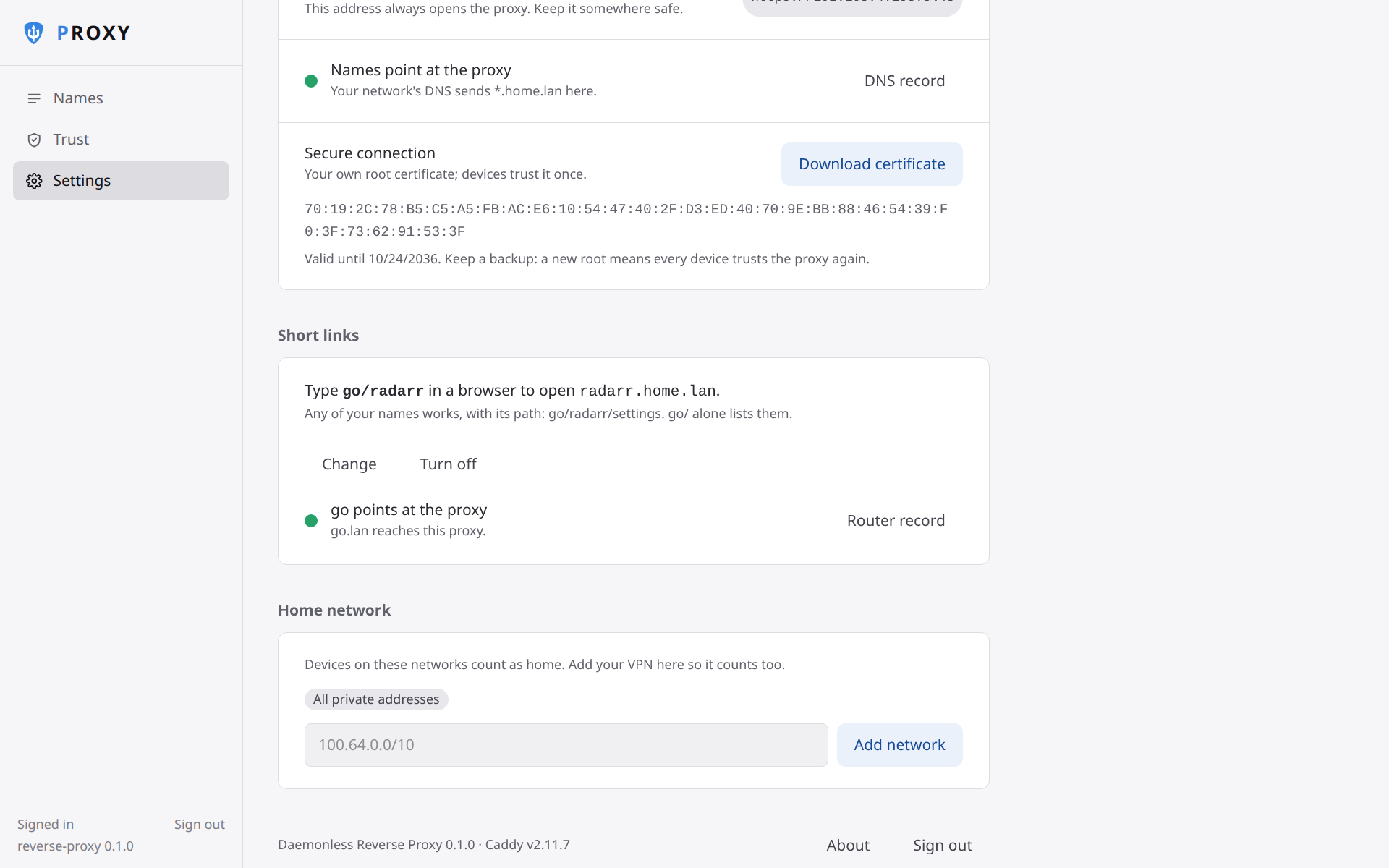
Typing go/radarr searches the web instead of opening Radarr
Check that you added the optional go record on your router pointing at the proxy's LAN IP. The first time in Safari or Firefox, type http://go/radarr with http:// so the browser learns go is a host on your network.
An Android app refuses to connect with Just for home certificates
Browsers on Android trust the proxy once you install the CA certificate, but some apps ignore certificates you install yourself; if an app refuses to connect, that is why. Switch Settings -> Ending and certificates to DuckDNS or Your own domain if you need every app to use a Let's Encrypt certificate that Android trusts by default.
Deleting /data or /config
- Keep
/dataon persistent storage: deleting/datadiscards the certificates Caddy issued, forcing Caddy to request them again from Let's Encrypt. - Keep
/configbacked up via Settings -> Backup: losing/configwithout a backup loses your root certificate and DNS token, and every device using Just for home would have to trust the proxy again.