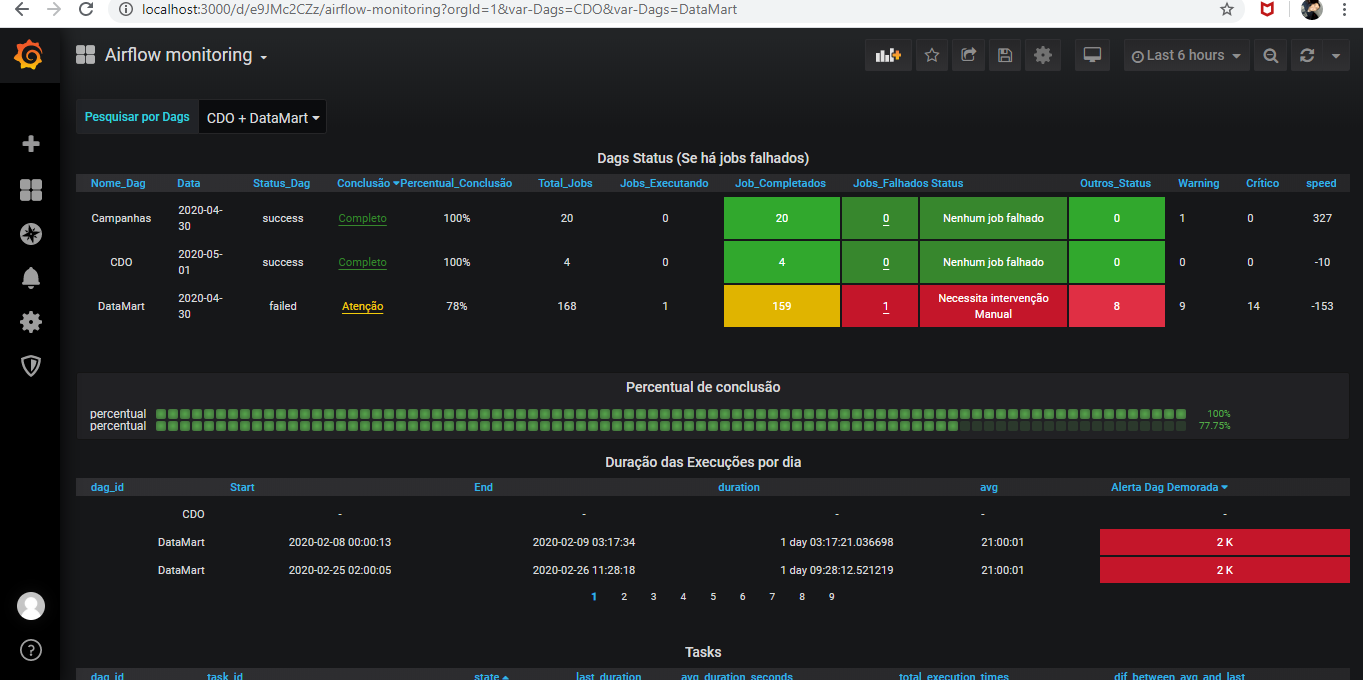
Grafana is an open source and composable observability and data visualization platform. Visualize metrics, logs, and traces from multiple sources like Prometheus, Loki, Elasticsearch, InfluxDB, Postgres and many more.
Before deploying, ensure your host environment is ready. See the Quick Start Guide for host setup instructions, including the security model for host vs. container privileges.
Deployment
Database Where the app keeps its data. The default needs nothing else running.
SQLite PostgreSQL MariaDB Your own
grafana:pkg — data in /containers /grafana
A file in the app's config folder. Right for one person, nothing extra to run.
Save as compose.yaml:
name : grafana
services :
grafana :
image : ghcr.io/daemonless/grafana:pkg
container_name : grafana
restart : unless-stopped
environment :
- PUID=1000
- PGID=1000
- TZ=UTC
- GF_DATABASE_TYPE=${GF_DATABASE_TYPE:-}
- GF_DATABASE_HOST=${GF_DATABASE_HOST:-}
- GF_DATABASE_USER=${GF_DATABASE_USER:-}
- GF_DATABASE_PASSWORD=${GF_DATABASE_PASSWORD:-}
- GF_DATABASE_NAME=${GF_DATABASE_NAME:-}
volumes :
- "/containers /grafana:/config"
ports :
- 3000:3000
Then run podman-compose up -d.
grafana:pkg · postgres:17 — data in /containers /grafana/containers /grafana/postgres
One more container, its data in its own folder. For a household, or an app that wants it.
1. Save as .env and fill in what is empty:
/containers /grafana/postgres
2. Save as compose.yaml:
name : grafana
services :
grafana :
depends_on : [ postgres ]
image : ghcr.io/daemonless/grafana:pkg
container_name : grafana
restart : unless-stopped
environment :
- PUID=1000
- PGID=1000
- TZ=UTC
- GF_DATABASE_TYPE=${GF_DATABASE_TYPE:-}
- GF_DATABASE_HOST=${GF_DATABASE_HOST:-}
- GF_DATABASE_USER=${GF_DATABASE_USER:-}
- GF_DATABASE_PASSWORD=${GF_DATABASE_PASSWORD:-}
- GF_DATABASE_NAME=${GF_DATABASE_NAME:-}
volumes :
- "/containers /grafana:/config"
ports :
- 3000:3000
postgres :
image : ghcr.io/daemonless/postgres:17
restart : always
annotations :
org.freebsd.jail.allow.sysvipc : "true"
environment :
- POSTGRES_USER=${GF_DATABASE_USER}
- POSTGRES_PASSWORD=${GF_DATABASE_PASSWORD}
- POSTGRES_DB=${GF_DATABASE_NAME}
volumes :
- "${DATABASE_LOCATION}:/var/lib/postgresql/data"
Then run podman-compose up -d.
grafana:pkg · mariadb:11.4 — data in /containers /grafana/containers /grafana/mariadb
One more container, its data in its own folder. If you already know MariaDB, or the app prefers it.
1. Save as .env and fill in what is empty:
/containers /grafana/mariadb
2. Save as compose.yaml:
name : grafana
services :
grafana :
depends_on : [ mariadb ]
image : ghcr.io/daemonless/grafana:pkg
container_name : grafana
restart : unless-stopped
environment :
- PUID=1000
- PGID=1000
- TZ=UTC
- GF_DATABASE_TYPE=${GF_DATABASE_TYPE:-}
- GF_DATABASE_HOST=${GF_DATABASE_HOST:-}
- GF_DATABASE_USER=${GF_DATABASE_USER:-}
- GF_DATABASE_PASSWORD=${GF_DATABASE_PASSWORD:-}
- GF_DATABASE_NAME=${GF_DATABASE_NAME:-}
volumes :
- "/containers /grafana:/config"
ports :
- 3000:3000
mariadb :
image : ghcr.io/daemonless/mariadb:11.4
restart : always
environment :
- MYSQL_USER=${GF_DATABASE_USER}
- MYSQL_PASSWORD=${GF_DATABASE_PASSWORD}
- MYSQL_DATABASE=${GF_DATABASE_NAME}
- MYSQL_ROOT_PASSWORD=${GF_DATABASE_PASSWORD}
volumes :
- "${DATABASE_LOCATION}:/config"
Then run podman-compose up -d.
grafana:pkg · your own database — data in /containers /grafana
A database you already run, here or on another machine. Nothing extra runs; you give the address and the account.
1. Save as .env and fill in Kind, Host, User, Password, Database:
2. Save as compose.yaml:
name : grafana
services :
grafana :
image : ghcr.io/daemonless/grafana:pkg
container_name : grafana
restart : unless-stopped
environment :
- PUID=1000
- PGID=1000
- TZ=UTC
- GF_DATABASE_TYPE=${GF_DATABASE_TYPE:-}
- GF_DATABASE_HOST=${GF_DATABASE_HOST:-}
- GF_DATABASE_USER=${GF_DATABASE_USER:-}
- GF_DATABASE_PASSWORD=${GF_DATABASE_PASSWORD:-}
- GF_DATABASE_NAME=${GF_DATABASE_NAME:-}
volumes :
- "/containers /grafana:/config"
ports :
- 3000:3000
Then run podman-compose up -d.
Database Where the app keeps its data. The default needs nothing else running.
SQLite PostgreSQL MariaDB Your own
grafana:pkg — data in /containers /grafana
A file in the app's config folder. Right for one person, nothing extra to run.
1000
1000
UTC
# appjail-director.yml
options :
- virtualnet : ':<random> default'
- nat :
services :
grafana :
name : grafana
options :
- container : 'args:--pull'
- expose : '3000 :3000 proto:tcp'
oci :
user : root
environment :
- PUID : !ENV '${PUID}'
- PGID : !ENV '${PGID}'
- TZ : !ENV '${TZ}'
- GF_DATABASE_TYPE : !ENV '${GF_DATABASE_TYPE}'
- GF_DATABASE_HOST : !ENV '${GF_DATABASE_HOST}'
- GF_DATABASE_USER : !ENV '${GF_DATABASE_USER}'
- GF_DATABASE_PASSWORD : !ENV '${GF_DATABASE_PASSWORD}'
- GF_DATABASE_NAME : !ENV '${GF_DATABASE_NAME}'
volumes :
- GRAFANA_CONFIG_PATH : /config
volumes :
GRAFANA_CONFIG_PATH :
device : '/containers /grafana '
ghcr.io/daemonless /grafana:${tag}
Save the files above, then run appjail-director up.
grafana:pkg · postgres:17 — data in /containers /grafana/containers /grafana/postgres
One more container, its data in its own folder. For a household, or an app that wants it.
1000
1000
UTC
# appjail-director.yml
options :
- virtualnet : ':<random> default'
- nat :
services :
grafana :
name : grafana
options :
- container : 'args:--pull'
- expose : '3000 :3000 proto:tcp'
oci :
user : root
environment :
- PUID : !ENV '${PUID}'
- PGID : !ENV '${PGID}'
- TZ : !ENV '${TZ}'
- GF_DATABASE_TYPE : !ENV '${GF_DATABASE_TYPE}'
- GF_DATABASE_HOST : !ENV '${GF_DATABASE_HOST}'
- GF_DATABASE_USER : !ENV '${GF_DATABASE_USER}'
- GF_DATABASE_PASSWORD : !ENV '${GF_DATABASE_PASSWORD}'
- GF_DATABASE_NAME : !ENV '${GF_DATABASE_NAME}'
volumes :
- GRAFANA_CONFIG_PATH : /config
postgres :
name : grafana_postgres
priority : 10
options :
- from : ghcr.io/daemonless/postgres:17
- template : !ENV '${PWD}/postgres-template.conf'
oci :
environment :
- POSTGRES_USER : !ENV '${GF_DATABASE_USER}'
- POSTGRES_PASSWORD : !ENV '${GF_DATABASE_PASSWORD}'
- POSTGRES_DB : !ENV '${GF_DATABASE_NAME}'
volumes :
- database : /var/lib/postgresql/data
volumes :
GRAFANA_CONFIG_PATH :
device : '/containers /grafana '
database :
device : !ENV '${DATABASE_LOCATION}'
ghcr.io/daemonless /grafana:${tag}
Save the files above, then run appjail-director up.
grafana:pkg · mariadb:11.4 — data in /containers /grafana/containers /grafana/mariadb
One more container, its data in its own folder. If you already know MariaDB, or the app prefers it.
1000
1000
UTC
# appjail-director.yml
options :
- virtualnet : ':<random> default'
- nat :
services :
grafana :
name : grafana
options :
- container : 'args:--pull'
- expose : '3000 :3000 proto:tcp'
oci :
user : root
environment :
- PUID : !ENV '${PUID}'
- PGID : !ENV '${PGID}'
- TZ : !ENV '${TZ}'
- GF_DATABASE_TYPE : !ENV '${GF_DATABASE_TYPE}'
- GF_DATABASE_HOST : !ENV '${GF_DATABASE_HOST}'
- GF_DATABASE_USER : !ENV '${GF_DATABASE_USER}'
- GF_DATABASE_PASSWORD : !ENV '${GF_DATABASE_PASSWORD}'
- GF_DATABASE_NAME : !ENV '${GF_DATABASE_NAME}'
volumes :
- GRAFANA_CONFIG_PATH : /config
mariadb :
name : grafana_mariadb
priority : 10
options :
- from : ghcr.io/daemonless/mariadb:11.4
- template : !ENV '${PWD}/template.conf'
oci :
environment :
- MYSQL_USER : !ENV '${GF_DATABASE_USER}'
- MYSQL_PASSWORD : !ENV '${GF_DATABASE_PASSWORD}'
- MYSQL_DATABASE : !ENV '${GF_DATABASE_NAME}'
- MYSQL_ROOT_PASSWORD : !ENV '${GF_DATABASE_PASSWORD}'
volumes :
- database : /config
volumes :
GRAFANA_CONFIG_PATH :
device : '/containers /grafana '
database :
device : !ENV '${DATABASE_LOCATION}'
ghcr.io/daemonless /grafana:${tag}
Save the files above, then run appjail-director up.
grafana:pkg · your own database — data in /containers /grafana
A database you already run, here or on another machine. Nothing extra runs; you give the address and the account.
1000
1000
UTC
# appjail-director.yml
options :
- virtualnet : ':<random> default'
- nat :
services :
grafana :
name : grafana
options :
- container : 'args:--pull'
- expose : '3000 :3000 proto:tcp'
oci :
user : root
environment :
- PUID : !ENV '${PUID}'
- PGID : !ENV '${PGID}'
- TZ : !ENV '${TZ}'
- GF_DATABASE_TYPE : !ENV '${GF_DATABASE_TYPE}'
- GF_DATABASE_HOST : !ENV '${GF_DATABASE_HOST}'
- GF_DATABASE_USER : !ENV '${GF_DATABASE_USER}'
- GF_DATABASE_PASSWORD : !ENV '${GF_DATABASE_PASSWORD}'
- GF_DATABASE_NAME : !ENV '${GF_DATABASE_NAME}'
volumes :
- GRAFANA_CONFIG_PATH : /config
volumes :
GRAFANA_CONFIG_PATH :
device : '/containers /grafana '
ghcr.io/daemonless /grafana:${tag}
Save the files above, then run appjail-director up.
Open http://<server>:3000 from another machine (the server's own browser can't use a published port).
Interactive Configuration
Parameters
Environment Variables
Variable
Default
Description
PUID1000User ID for the application process
PGID1000Group ID for the application process
TZUTCTimezone for the container
GF_DATABASE_TYPE``
sqlite3, postgres or mysql; set by the Database choice. Empty keeps grafana.ini
GF_DATABASE_HOST``
Database host, optionally host:port (Database choice)
GF_DATABASE_USER``
Database user (Database choice)
GF_DATABASE_PASSWORD<GF_DATABASE_PASSWORD>Database password (Database choice)
GF_DATABASE_NAME``
Database name (Database choice)
Volumes
Path
Description
/configConfiguration, data, logs, plugins and provisioning
Ports
Port
Protocol
Description
3000TCP
Web UI
Implementation Details
Architectures: amd64, aarch64User: bsd (UID/GID set via PUID/PGID ). Defaults to 1000:1000.Base: Built on ghcr.io/daemonless /base
Need help? Join our Discord community.
 Grafana