 SparkyFitness
| Description / name | Input element |
|---|---|
| Container Registry | |
| Container Configuration Root Path | |
| Timezone | |
| User ID | |
| Group ID | |
| SparkyFitness /app/server/uploads Path | |
| SparkyFitness /app/server/backup Path |



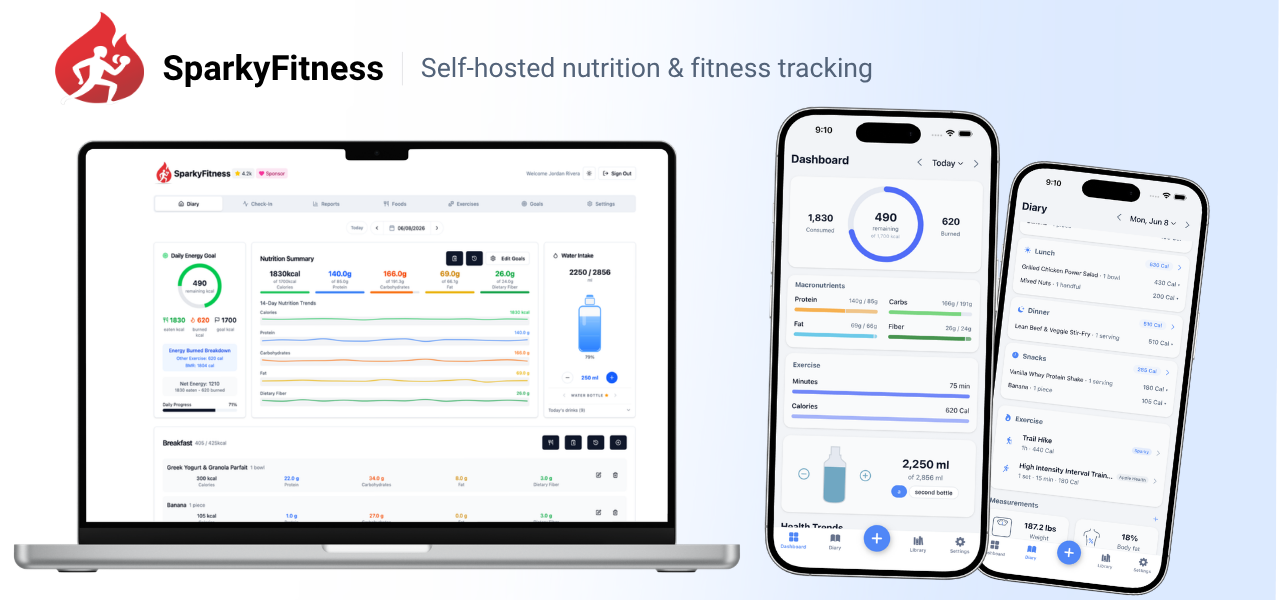
Self-hosted privacy-first fitness tracker on FreeBSD.
| Registry | ghcr.io/daemonless/sparkyfitness |
| Daemonless | daemonless/sparkyfitness |
| Source | CodeWithCJ/SparkyFitness |
| Website | github.com/CodeWithCJ/SparkyFitness |
Version Tags
| Tag | Description | Best For |
|---|---|---|
latest |
Upstream Binary. Built from official release. | Most users — recommended. |
Parts
| Service | Image | Role | |
|---|---|---|---|
| sparkyfitness | ghcr.io/daemonless/sparkyfitness:${SPARKYFITNESS_TAG:-latest} |
docs | |
| sparkyfitness-db | ghcr.io/daemonless/postgres:18 |
docs |
Before deploying, ensure your host environment is ready. See the Quick Start Guide for host setup instructions, including the security model for host vs. container privileges.
Deployment
1. Save as .env and fill in what is empty:
2. Save as compose.yaml:
Then run podman-compose up -d.
Save the files above, then run appjail-director up.
Interactive Configuration
Parameters
Environment Variables
| Variable | Default | Description |
|---|---|---|
PUID |
1000 |
User ID for the application process |
PGID |
1000 |
Group ID for the application process |
TZ |
UTC |
Timezone for the container |
NODE_ENV |
production |
Node runtime mode; leave as 'production' |
SPARKY_FITNESS_DB_HOST |
127.0.0.1 |
Where the backend finds PostgreSQL (fjord sets this; 127.0.0.1 on host networking) |
SPARKY_FITNESS_DB_PORT |
5433 |
PostgreSQL port; MUST match the sidecar's POSTGRES_PORT. Default 5433 (NOT 5432) so this can coexist with another host-networked Postgres (e.g. Immich on 5432) on the same host. ⚠ With network_mode: host, two Postgres on the same port silently collide — keep each service on a distinct port. NOTE: this only takes effect if the daemonless/postgres image honors POSTGRES_PORT (see project README / upstream fix); otherwise the sidecar falls back to 5432. |
SPARKY_FITNESS_DB_NAME |
sparkyfitness |
PostgreSQL database name |
SPARKY_FITNESS_DB_USER |
sparky |
PostgreSQL superuser |
SPARKY_FITNESS_DB_PASSWORD |
sparky |
PostgreSQL password |
SPARKY_FITNESS_APP_DB_USER |
sparky_app |
Limited app DB role the backend creates during migrations |
SPARKY_FITNESS_APP_DB_PASSWORD |
sparky_app |
Password for the limited app DB role |
SPARKY_FITNESS_API_ENCRYPTION_KEY |
<SPARKY_FITNESS_API_ENCRYPTION_KEY> |
64-char hex encryption key |
BETTER_AUTH_SECRET |
<BETTER_AUTH_SECRET> |
Auth session signing secret |
SPARKY_FITNESS_FRONTEND_URL |
`` | URL you will open this app at, e.g. http://myhost:3004 (sign-up fails if it does not match) |
SPARKY_FITNESS_SERVER_HOST |
127.0.0.1 |
Internal bind address for the node backend; leave as 127.0.0.1 (nginx proxies to it) |
SPARKY_FITNESS_SERVER_PORT |
3010 |
Internal node backend port; leave as default |
SPARKY_FITNESS_LOG_LEVEL |
ERROR |
Backend log verbosity (e.g. ERROR, INFO, DEBUG) |
UPLOADS_LOCATION |
/containers/sparkyfitness/uploads |
Path to store user uploads (profile pictures, exercise images) |
BACKUPS_LOCATION |
/containers/sparkyfitness/backups |
Path to store server backups |
DB_DATA_LOCATION |
/containers/sparkyfitness/postgres |
Path to store PostgreSQL data files |
Volumes
| Path | Description |
|---|---|
/app/server/uploads |
User-uploaded files (profile pictures, exercise images) |
/app/server/backup |
Server backup data |
Implementation Details
- Architectures: amd64
- User:
bsd(UID/GID set via PUID/PGID). Defaults to1000:1000. - Base: Built on
ghcr.io/daemonless/base(FreeBSD 15.1).
Need help? Join our Discord community.