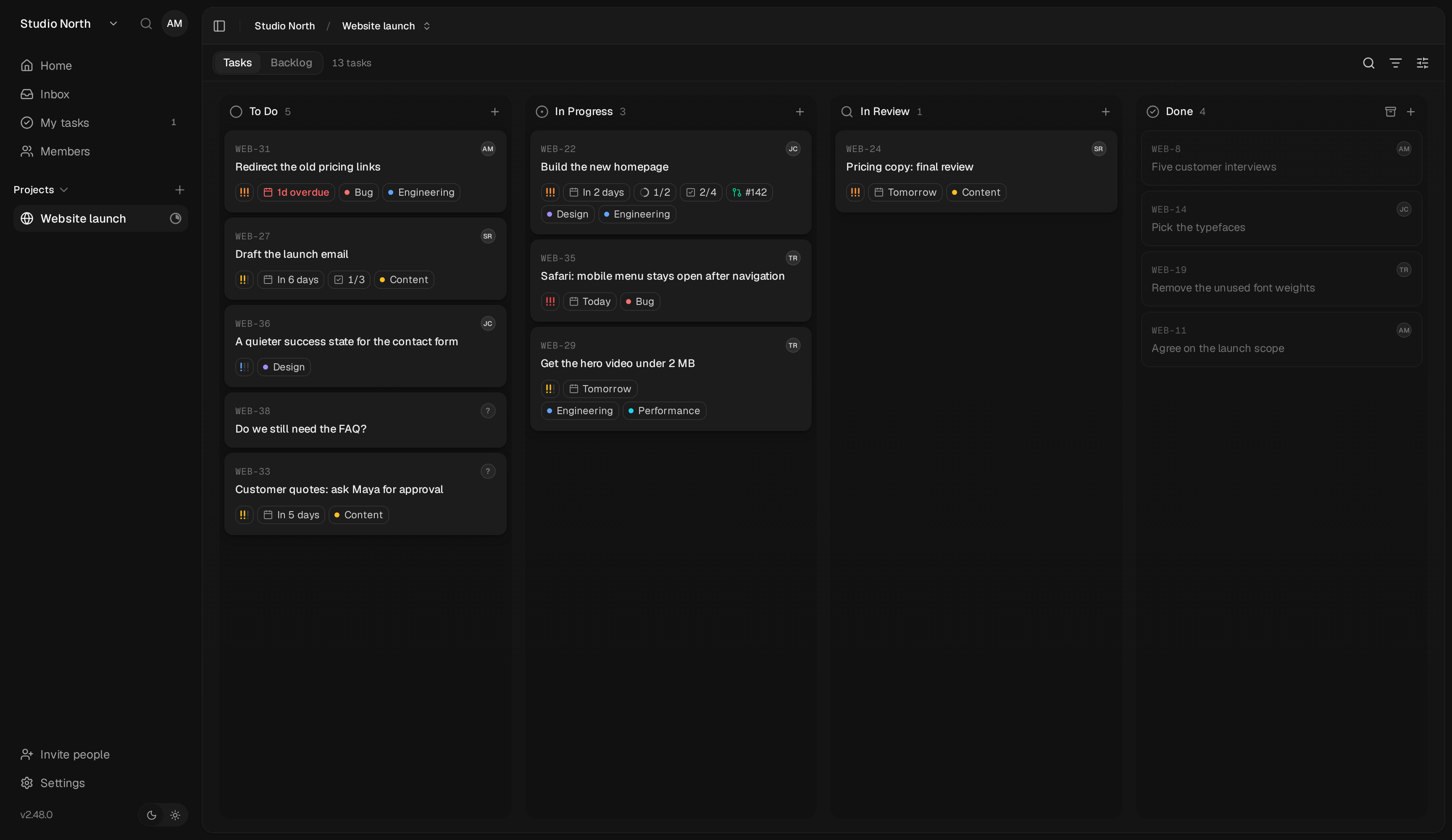
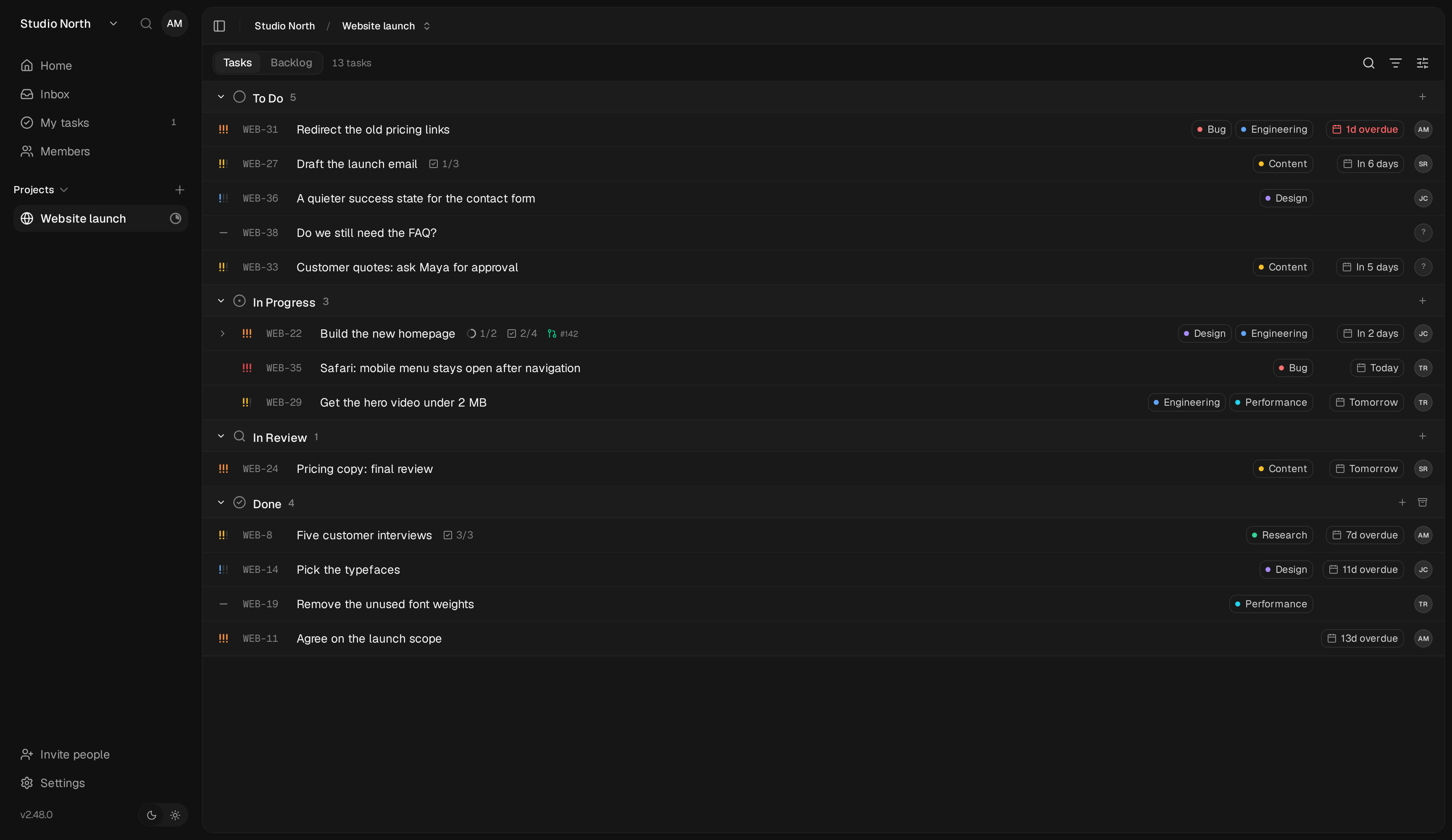
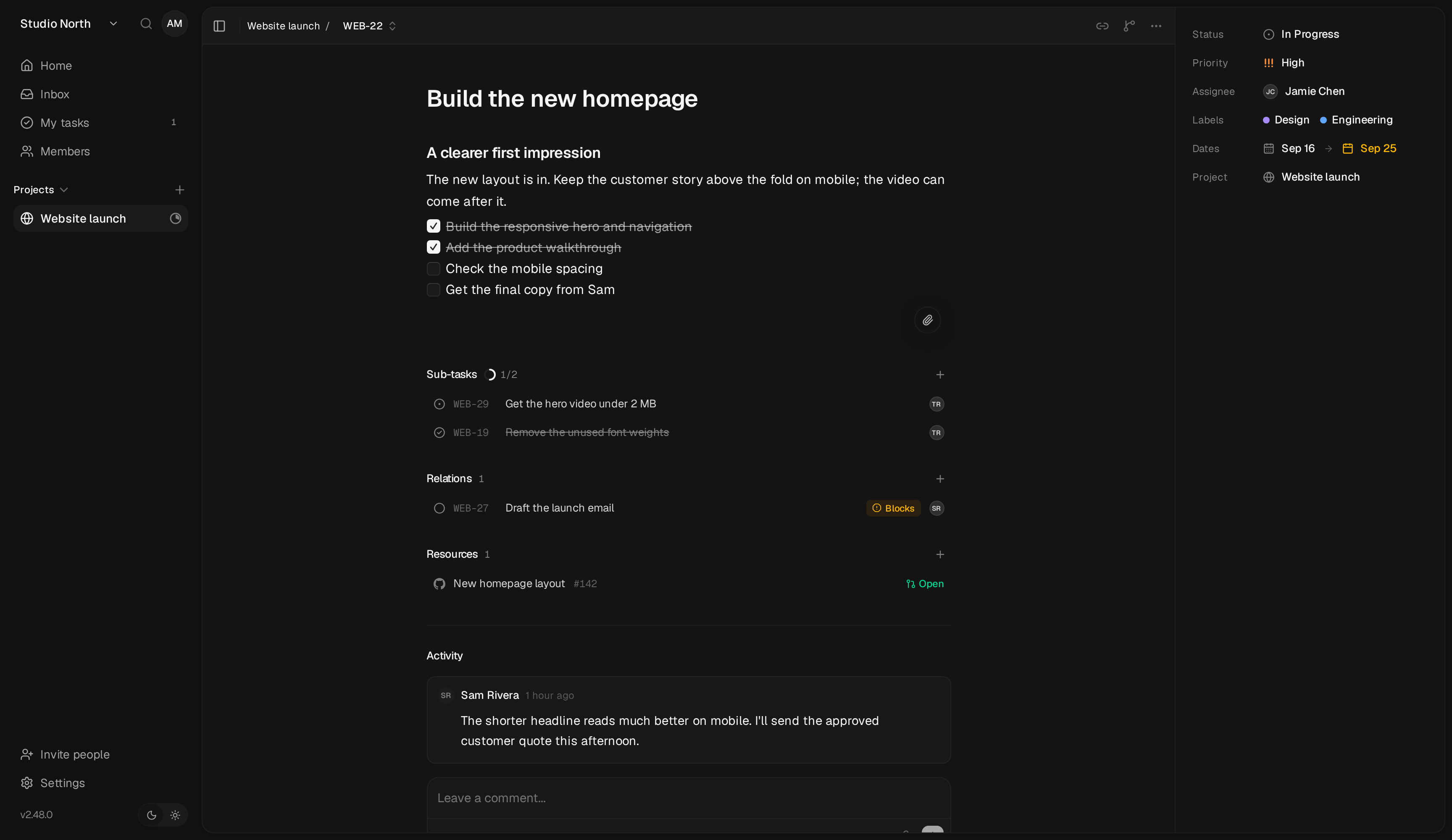
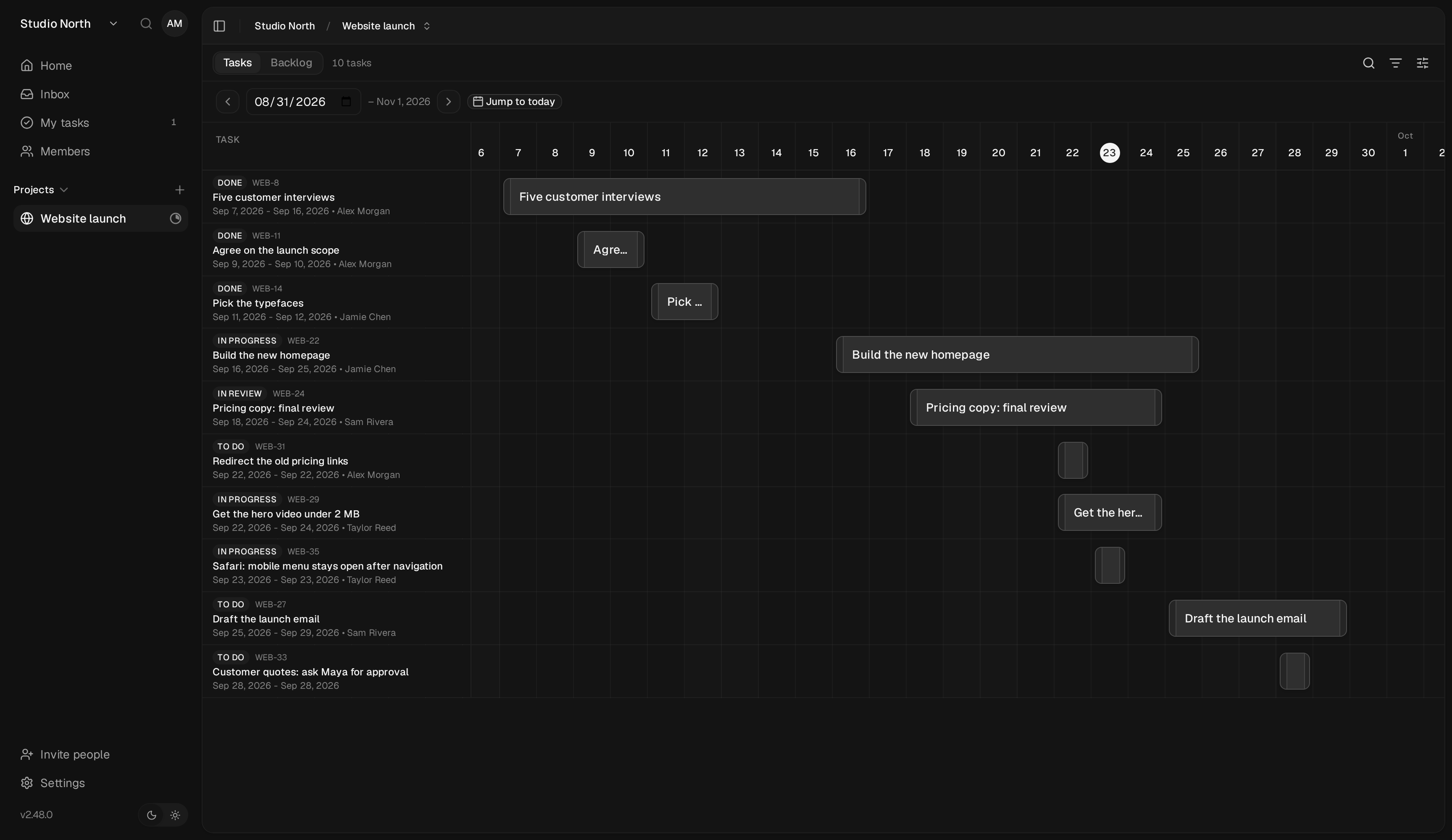
Open-source project management and Kanban board platform built for speed and simplicity.
Tag
Description
Best For
latestUpstream Binary . Built from official release.Most users — recommended.
Parts
Service
Image
Role
kaneo ghcr.io/daemonless/kaneo:${KANEO_TAG:-latest}docs
postgres ghcr.io/daemonless/postgres:18docs
Before deploying, ensure your host environment is ready. See the Quick Start Guide for host setup instructions, including the security model for host vs. container privileges.
Deployment
Database Where Kaneo keeps its projects and tasks. The default runs its own PostgreSQL.
Built-in PostgreSQL Your own PostgreSQL
kaneo:latest · postgres:18 — data in /containers /kaneo/config/containers /kaneo/postgres
A PostgreSQL of its own, on the private network.
1. Save as .env and fill in what is empty:
/containers /kaneo/config
/containers /kaneo/postgres
UTC
2. Save as compose.yaml:
name : kaneo
services :
kaneo :
image : ghcr.io/daemonless/kaneo:${KANEO_TAG:-latest}
container_name : kaneo
restart : unless-stopped
network_mode : host
depends_on :
- postgres
environment :
- PUID=1000
- PGID=1000
- TZ=${TZ:-UTC}
- KANEO_CLIENT_URL=${KANEO_CLIENT_URL}
- POSTGRES_HOST=${POSTGRES_HOST:-127.0.0.1}
- POSTGRES_PORT=${POSTGRES_PORT:-5432}
- POSTGRES_DB=${POSTGRES_DB:-kaneo}
- POSTGRES_USER=${POSTGRES_USER:-kaneo}
- POSTGRES_PASSWORD=${POSTGRES_PASSWORD}
- AUTH_SECRET=${AUTH_SECRET:-}
volumes :
- ${KANEO_CONFIG_PATH}:/config
postgres :
image : ghcr.io/daemonless/postgres:18
container_name : kaneo-postgres
restart : unless-stopped
network_mode : host
annotations :
org.freebsd.jail.allow.sysvipc : "true"
environment :
- POSTGRES_DB=${POSTGRES_DB:-kaneo}
- POSTGRES_USER=${POSTGRES_USER:-kaneo}
- POSTGRES_PASSWORD=${POSTGRES_PASSWORD}
volumes :
- ${DB_DATA_LOCATION}:/var/lib/postgresql/data
Then run podman-compose up -d.
kaneo:latest · your own database — data in /containers /kaneo/config
A PostgreSQL you already run. Create the database and a user with full privileges on it first.
1. Save as .env and fill in Host, Port, Database name, User, Password:
/containers /kaneo/config
/containers /kaneo/postgres
UTC
2. Save as compose.yaml:
name : kaneo
services :
kaneo :
image : ghcr.io/daemonless/kaneo:${KANEO_TAG:-latest}
container_name : kaneo
restart : unless-stopped
network_mode : host
environment :
- PUID=1000
- PGID=1000
- TZ=${TZ:-UTC}
- KANEO_CLIENT_URL=${KANEO_CLIENT_URL}
- POSTGRES_HOST=${POSTGRES_HOST:-127.0.0.1}
- POSTGRES_PORT=${POSTGRES_PORT:-5432}
- POSTGRES_DB=${POSTGRES_DB:-kaneo}
- POSTGRES_USER=${POSTGRES_USER:-kaneo}
- POSTGRES_PASSWORD=${POSTGRES_PASSWORD}
- AUTH_SECRET=${AUTH_SECRET:-}
volumes :
- ${KANEO_CONFIG_PATH}:/config
Then run podman-compose up -d.
Database Where Kaneo keeps its projects and tasks. The default runs its own PostgreSQL.
Built-in PostgreSQL Your own PostgreSQL
kaneo:latest · postgres:18 — data in /containers /kaneo/config/containers /kaneo/postgres
A PostgreSQL of its own, on the private network.
1000
1000
UTC
# appjail-director.yml
options :
- alias :
- ip4_inherit :
services :
kaneo :
name : kaneo
options :
- container : 'args:--pull'
oci :
user : root
environment :
- PUID : !ENV '${PUID}'
- PGID : !ENV '${PGID}'
- TZ : !ENV '${TZ}'
- KANEO_CLIENT_URL : !ENV '${KANEO_CLIENT_URL}'
- POSTGRES_HOST : !ENV '${POSTGRES_HOST}'
- POSTGRES_PORT : !ENV '${POSTGRES_PORT}'
- POSTGRES_DB : !ENV '${POSTGRES_DB}'
- POSTGRES_USER : !ENV '${POSTGRES_USER}'
- POSTGRES_PASSWORD : !ENV '${POSTGRES_PASSWORD}'
- AUTH_SECRET : !ENV '${AUTH_SECRET}'
- KANEO_CONFIG_PATH : !ENV '${KANEO_CONFIG_PATH}'
- DB_DATA_LOCATION : !ENV '${DB_DATA_LOCATION}'
volumes :
- KANEO_CONFIG_PATH : /config
postgres :
name : postgres
options :
- from : ghcr.io/daemonless/postgres:18
- template : !ENV '${PWD}/postgres-template.conf'
oci :
environment :
- POSTGRES_DB : !ENV '${POSTGRES_DB}'
- POSTGRES_USER : !ENV '${POSTGRES_USER}'
- POSTGRES_PASSWORD : !ENV '${POSTGRES_PASSWORD}'
volumes :
- db_data : /var/lib/postgresql/data
volumes :
KANEO_CONFIG_PATH :
device : '/containers /kaneo '
db_data :
device : !ENV '${DB_DATA_LOCATION}'
ghcr.io/daemonless /kaneo:${tag}
Save the files above, then run appjail-director up.
kaneo:latest · your own database — data in /containers /kaneo/config
A PostgreSQL you already run. Create the database and a user with full privileges on it first.
1000
1000
UTC
# appjail-director.yml
options :
- alias :
- ip4_inherit :
services :
kaneo :
name : kaneo
options :
- container : 'args:--pull'
oci :
user : root
environment :
- PUID : !ENV '${PUID}'
- PGID : !ENV '${PGID}'
- TZ : !ENV '${TZ}'
- KANEO_CLIENT_URL : !ENV '${KANEO_CLIENT_URL}'
- POSTGRES_HOST : !ENV '${POSTGRES_HOST}'
- POSTGRES_PORT : !ENV '${POSTGRES_PORT}'
- POSTGRES_DB : !ENV '${POSTGRES_DB}'
- POSTGRES_USER : !ENV '${POSTGRES_USER}'
- POSTGRES_PASSWORD : !ENV '${POSTGRES_PASSWORD}'
- AUTH_SECRET : !ENV '${AUTH_SECRET}'
- KANEO_CONFIG_PATH : !ENV '${KANEO_CONFIG_PATH}'
- DB_DATA_LOCATION : !ENV '${DB_DATA_LOCATION}'
volumes :
- KANEO_CONFIG_PATH : /config
volumes :
KANEO_CONFIG_PATH :
device : '/containers /kaneo '
ghcr.io/daemonless /kaneo:${tag}
Save the files above, then run appjail-director up.
Interactive Configuration
Parameters
Environment Variables
Variable
Default
Description
PUID1000User ID for the application process
PGID1000Group ID for the application process
TZUTCTimezone for the container
KANEO_CLIENT_URLhttp://localhost:5173URL you will open Kaneo at, e.g. http://myhost:5173 (must match what the browser uses)
POSTGRES_HOST127.0.0.1Where Kaneo finds PostgreSQL (set automatically for the built-in database; 127.0.0.1 on host networking)
POSTGRES_PORT5432PostgreSQL port
POSTGRES_DBkaneoPostgreSQL database name
POSTGRES_USERkaneoPostgreSQL database user
POSTGRES_PASSWORDkaneoPostgreSQL password
AUTH_SECRET<AUTH_SECRET>Secret used to sign authentication sessions (generated into /config/secrets.env if unset)
KANEO_CONFIG_PATH/containers/kaneo/configPath to store Kaneo configuration and secrets
DB_DATA_LOCATION/containers/kaneo/postgresPath to store PostgreSQL data files
Volumes
Path
Description
/configConfiguration and persistent secrets
Implementation Details
Architectures: amd64User: bsd (UID/GID set via PUID/PGID ). Defaults to 1000:1000.Base: Built on ghcr.io/daemonless /base
Need help? Join our Discord community.
 Kaneo