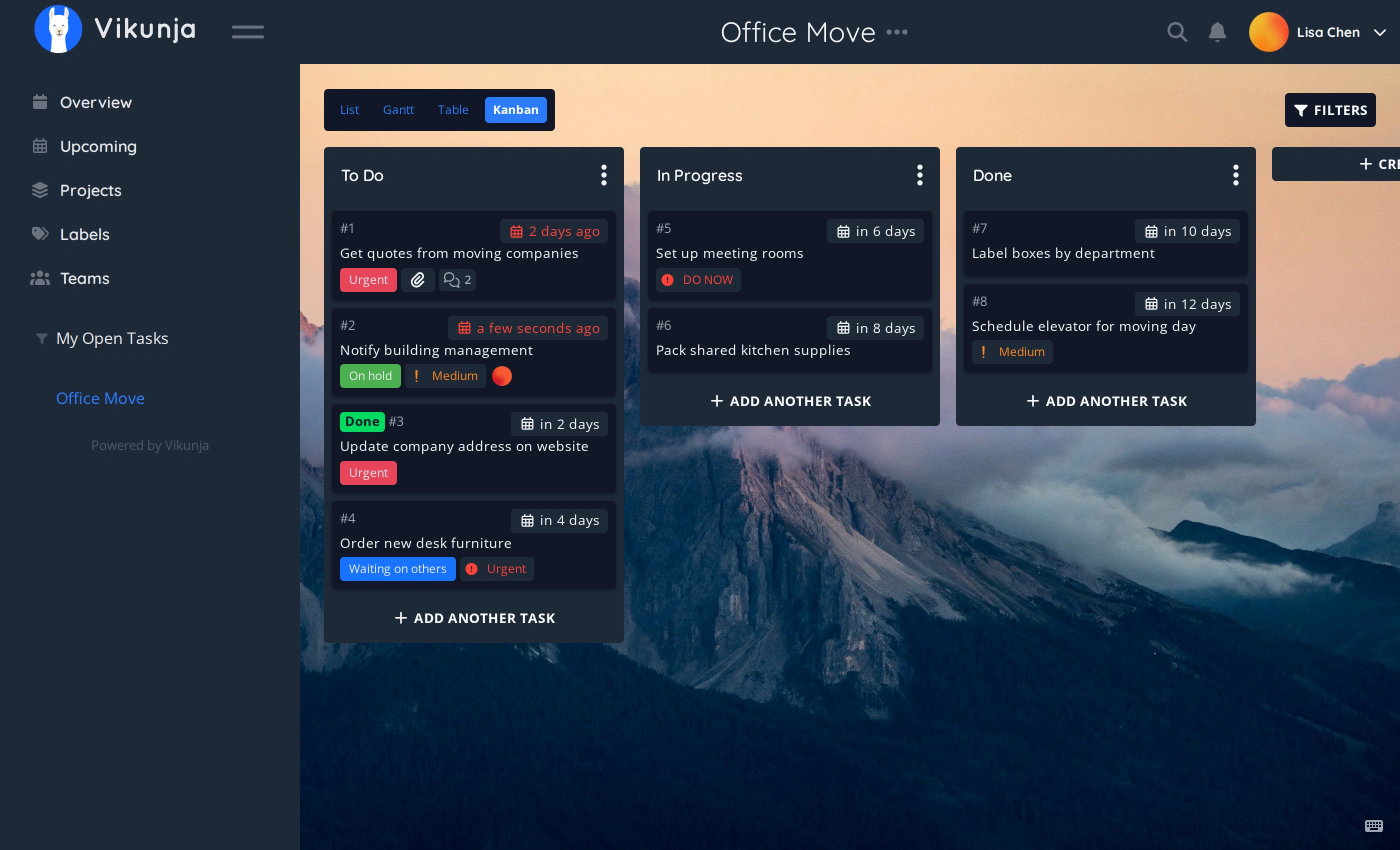
Vikunja is an open-source, self-hostable to-do app. It helps you organize your tasks and projects with features like list, kanban, gantt, and table views - all while keeping your data under your control.
Before deploying, ensure your host environment is ready. See the Quick Start Guide for host setup instructions, including the security model for host vs. container privileges.
name:vikunjaservices:vikunja:image:ghcr.io/daemonless/vikunja:latestcontainer_name:vikunja# "always", not "unless-stopped": FreeBSD's podman rc.d only auto-starts# containers with restart-policy=always at boot (needs podman_enable=YES).restart:alwaysenvironment:-PUID=1000-PGID=1000-TZ=UTC# Optional: the address Vikunja puts in the links it sends.-VIKUNJA_SERVICE_PUBLICURL=# The database, from the Database choice; sqlite needs nothing else.-VIKUNJA_DATABASE_TYPE=${VIKUNJA_DATABASE_TYPE:-sqlite}-VIKUNJA_DATABASE_HOST=${VIKUNJA_DATABASE_HOST:-}-VIKUNJA_DATABASE_USER=${VIKUNJA_DATABASE_USER:-}-VIKUNJA_DATABASE_PASSWORD=${VIKUNJA_DATABASE_PASSWORD:-}-VIKUNJA_DATABASE_DATABASE=${VIKUNJA_DATABASE_DATABASE:-}volumes:-/containers/vikunja:/configports:-3456:3456
Then run podman-compose up -d.
vikunja:latest · postgres:17 — data in /containers/vikunja, /containers/vikunja/postgres
One more container, its data in its own folder. For a household, or an app that wants it.
name:vikunjaservices:vikunja:depends_on:[postgres]image:ghcr.io/daemonless/vikunja:latestcontainer_name:vikunja# "always", not "unless-stopped": FreeBSD's podman rc.d only auto-starts# containers with restart-policy=always at boot (needs podman_enable=YES).restart:alwaysenvironment:-PUID=1000-PGID=1000-TZ=UTC# Optional: the address Vikunja puts in the links it sends.-VIKUNJA_SERVICE_PUBLICURL=# The database, from the Database choice; sqlite needs nothing else.-VIKUNJA_DATABASE_TYPE=${VIKUNJA_DATABASE_TYPE:-sqlite}-VIKUNJA_DATABASE_HOST=${VIKUNJA_DATABASE_HOST:-}-VIKUNJA_DATABASE_USER=${VIKUNJA_DATABASE_USER:-}-VIKUNJA_DATABASE_PASSWORD=${VIKUNJA_DATABASE_PASSWORD:-}-VIKUNJA_DATABASE_DATABASE=${VIKUNJA_DATABASE_DATABASE:-}volumes:-/containers/vikunja:/configports:-3456:3456postgres:image:ghcr.io/daemonless/postgres:17restart:alwaysannotations:org.freebsd.jail.allow.sysvipc:"true"environment:-POSTGRES_USER=${VIKUNJA_DATABASE_USER}-POSTGRES_PASSWORD=${VIKUNJA_DATABASE_PASSWORD}-POSTGRES_DB=${VIKUNJA_DATABASE_DATABASE}volumes:-"${DATABASE_LOCATION}:/var/lib/postgresql/data"
Then run podman-compose up -d.
vikunja:latest · mariadb:11.4 — data in /containers/vikunja, /containers/vikunja/mariadb
One more container, its data in its own folder. If you already know MariaDB, or the app prefers it.
name:vikunjaservices:vikunja:depends_on:[mariadb]image:ghcr.io/daemonless/vikunja:latestcontainer_name:vikunja# "always", not "unless-stopped": FreeBSD's podman rc.d only auto-starts# containers with restart-policy=always at boot (needs podman_enable=YES).restart:alwaysenvironment:-PUID=1000-PGID=1000-TZ=UTC# Optional: the address Vikunja puts in the links it sends.-VIKUNJA_SERVICE_PUBLICURL=# The database, from the Database choice; sqlite needs nothing else.-VIKUNJA_DATABASE_TYPE=${VIKUNJA_DATABASE_TYPE:-sqlite}-VIKUNJA_DATABASE_HOST=${VIKUNJA_DATABASE_HOST:-}-VIKUNJA_DATABASE_USER=${VIKUNJA_DATABASE_USER:-}-VIKUNJA_DATABASE_PASSWORD=${VIKUNJA_DATABASE_PASSWORD:-}-VIKUNJA_DATABASE_DATABASE=${VIKUNJA_DATABASE_DATABASE:-}volumes:-/containers/vikunja:/configports:-3456:3456mariadb:image:ghcr.io/daemonless/mariadb:11.4restart:alwaysenvironment:-MYSQL_USER=${VIKUNJA_DATABASE_USER}-MYSQL_PASSWORD=${VIKUNJA_DATABASE_PASSWORD}-MYSQL_DATABASE=${VIKUNJA_DATABASE_DATABASE}-MYSQL_ROOT_PASSWORD=${VIKUNJA_DATABASE_PASSWORD}volumes:-"${DATABASE_LOCATION}:/config"
Then run podman-compose up -d.
vikunja:latest · your own database — data in /containers/vikunja
A database you already run, here or on another machine. Nothing extra runs; you give the address and the account.
1. Save as .env and fill in Kind, Host, User, Password, Database:
name:vikunjaservices:vikunja:image:ghcr.io/daemonless/vikunja:latestcontainer_name:vikunja# "always", not "unless-stopped": FreeBSD's podman rc.d only auto-starts# containers with restart-policy=always at boot (needs podman_enable=YES).restart:alwaysenvironment:-PUID=1000-PGID=1000-TZ=UTC# Optional: the address Vikunja puts in the links it sends.-VIKUNJA_SERVICE_PUBLICURL=# The database, from the Database choice; sqlite needs nothing else.-VIKUNJA_DATABASE_TYPE=${VIKUNJA_DATABASE_TYPE:-sqlite}-VIKUNJA_DATABASE_HOST=${VIKUNJA_DATABASE_HOST:-}-VIKUNJA_DATABASE_USER=${VIKUNJA_DATABASE_USER:-}-VIKUNJA_DATABASE_PASSWORD=${VIKUNJA_DATABASE_PASSWORD:-}-VIKUNJA_DATABASE_DATABASE=${VIKUNJA_DATABASE_DATABASE:-}volumes:-/containers/vikunja:/configports:-3456:3456
Then run podman-compose up -d.
Database Where the app keeps its data. The default needs nothing else running.
vikunja:latest — data in /containers/vikunja
A file in the app's config folder. Right for one person, nothing extra to run.
# The jail PostgreSQL runs in: SysV shared memory, which a jail does not
# get by default. ip4/ip6 are set here because the director's ip4_inherit
# option is a no-op in AppJail 5.5.0.

exec.start: "/bin/sh /etc/rc"
exec.stop: "/bin/sh /etc/rc.shutdown jail"
sysvmsg: new
sysvsem: new
sysvshm: new
mount.devfs
persist
ip4: inherit
ip6: inherit
Save the files above, then run appjail-director up.
vikunja:latest · mariadb:11.4 — data in /containers/vikunja, /containers/vikunja/mariadb
One more container, its data in its own folder. If you already know MariaDB, or the app prefers it.
 Vikunja