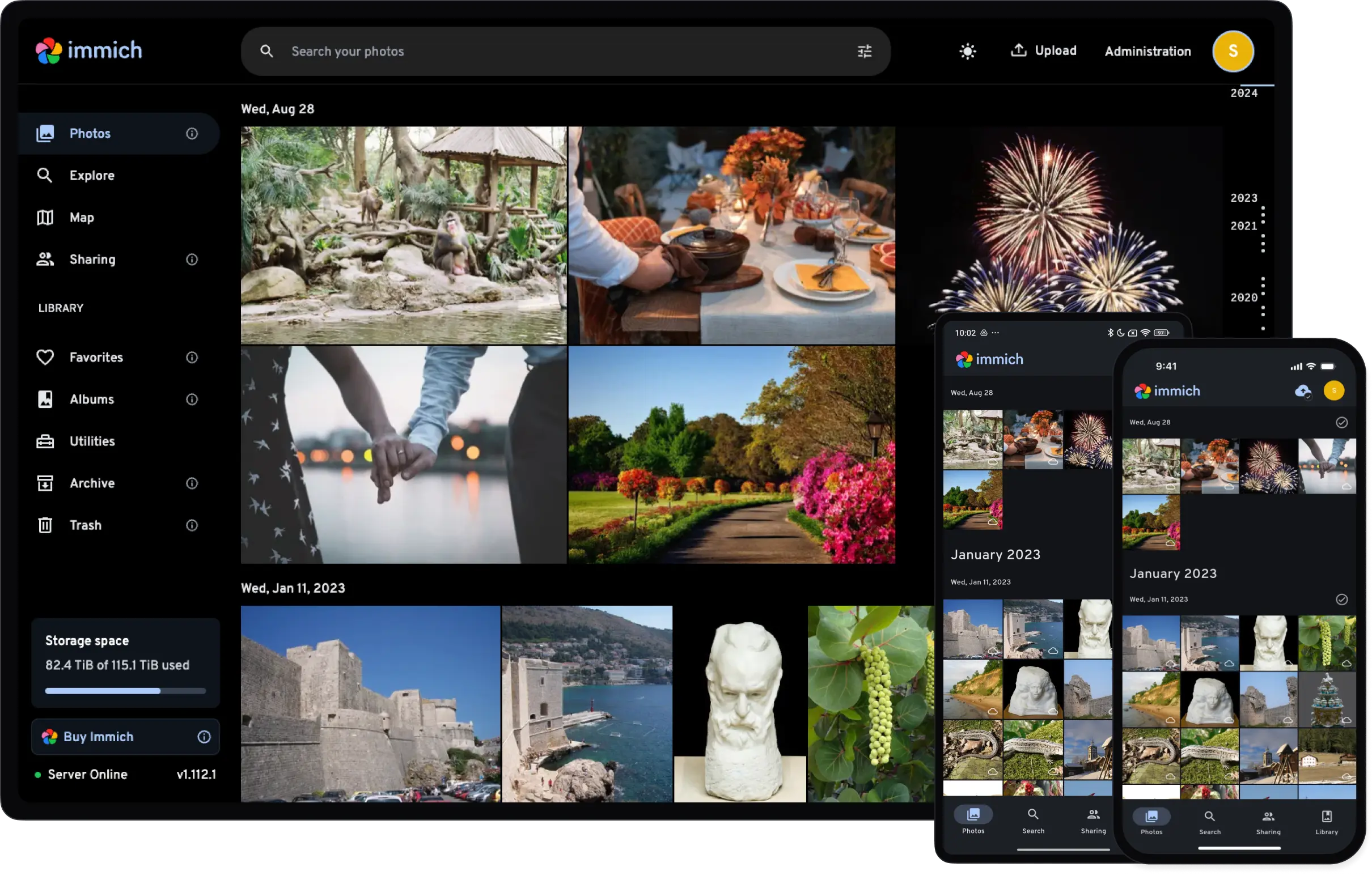
These tags apply to the immich-server image (set via IMMICH_TAG):
Tag
Description
Best For
latest
Current stable release, built from the latest upstream Immich release.
Most users.
beta
Beta release built from upstream v3.0.0-rc.0.
Testing upcoming releases early.
Machine learning (immich-ml, set via IMMICH_ML_TAG) follows the same latest and beta tags.
immich-postgres:latest and :14 are both PostgreSQL 14, matching upstream Immich. New installs can use :18; upgrading an existing database needs a full dump and restore.
Before deploying, ensure your host environment is ready. See the Quick Start Guide for host setup instructions, including the security model for host vs. container privileges.
Deployment
Machine learning Faces, objects and smart search. Needs 2 GB of RAM and downloads about 1 GB of models on first run.
Public sharing Share albums with people who have no account, without exposing Immich itself.
immich-server:latest · immich-ml:latest · redis:latest · immich-postgres:latest — data in /containers/immich/library, /containers/immich/postgres
# Immich for FreeBSD (Daemonless)
# Compatible with official Immich environment variables
# Docs: https://docs.immich.app/install/environment-variables
# Image tag for the Immich server and machine-learning containers.
# Defaults to 'latest' (stable). Set to 'beta' to run the Immich 3.0 pre-release.
# IMMICH_TAG=latest
# Image tag for machine learning (defaults to 'latest').
# The location where your uploaded files are stored
UPLOAD_LOCATION=/containers/immich/library
# The location where your database files are stored
DB_DATA_LOCATION=/containers/immich/postgres
# To set a timezone, uncomment the next line and change Etc/UTC to a TZ identifier
# https://en.wikipedia.org/wiki/List_of_tz_database_time_zones#List
TZ=UTC# Connection secret for postgres. Change this to a random password!
# Use only characters A-Za-z0-9 (no special characters or spaces)
DB_PASSWORD=postgres
# Where the server looks for the other three services. The defaults are right
# when they all share one network stack, which is what this file sets up. Set
# them when postgres, redis and the ML service are somewhere else -- on their
# own private segment, or a redis you already run.
# DB_HOSTNAME=localhost
# REDIS_HOSTNAME=localhost
# IMMICH_ML_HOST=localhost
# Where the public proxy (the Public sharing choice) finds the server.
# IMMICH_SERVER_HOST=localhost
# Machine learning: false turns it off (the Machine learning choice does this).
# IMMICH_ML_ENABLED=true
# Public sharing (the Public sharing choice): the address the proxy is reached at.
# PUBLIC_BASE_URL=
# The address the server binds. Immich binds loopback unless told otherwise,
# which answers nothing if the container has an address of its own.
# IMMICH_HOST=0.0.0.0
# The values below this line do not need to be changed
###################################################################################
DB_USERNAME=postgres
DB_DATABASE_NAME=immich
## Immich for FreeBSD (Daemonless)## Drop-in compatible with official Immich docker-compose.yml## Prerequisites:# pkg install podman-suite py311-podman-compose## Usage:# 1. Copy example.env to .env and edit# 2. Run: podman-compose up -d#name:immichservices:immich-server:container_name:immich_serverimage:ghcr.io/daemonless/immich-server:${IMMICH_TAG:-latest}network_mode:hostvolumes:-${UPLOAD_LOCATION}:/data-/etc/localtime:/etc/localtime:roenvironment:DB_HOSTNAME:${DB_HOSTNAME:-localhost}REDIS_HOSTNAME:${REDIS_HOSTNAME:-localhost}IMMICH_MACHINE_LEARNING_URL:http://${IMMICH_ML_HOST:-localhost}:3003IMMICH_MACHINE_LEARNING_ENABLED:${IMMICH_ML_ENABLED:-true}# Immich binds loopback unless told otherwise, so it answers nothing on# the host's address -- or on a published port, which forwards to the# container's own and not to its loopback.IMMICH_HOST:${IMMICH_HOST:-0.0.0.0}env_file:-.envdepends_on:-redis-database-immich-machine-learningrestart:alwaysimmich-machine-learning:container_name:immich_machine_learningimage:ghcr.io/daemonless/immich-ml:${IMMICH_ML_TAG:-latest}network_mode:hostenvironment:HF_HOME:/cache/huggingfaceMPLCONFIGDIR:/tmpvolumes:-model-cache:/cacheenv_file:-.envrestart:always# Public links to albums for people with no account. Only with the Public# sharing choice; it reaches the server at IMMICH_SERVER_HOST (localhost# while everything is on the host) and answers on 3000.redis:container_name:immich_redisimage:ghcr.io/daemonless/redis:latestnetwork_mode:hostvolumes:-/etc/localtime:/etc/localtime:ro-redis-data:/configrestart:alwaysdatabase:container_name:immich_postgresimage:ghcr.io/daemonless/immich-postgres:latestnetwork_mode:host# FreeBSD requires sysvipc for PostgreSQL shared memoryannotations:org.freebsd.jail.allow.sysvipc:"true"environment:POSTGRES_PASSWORD:${DB_PASSWORD}POSTGRES_USER:${DB_USERNAME}POSTGRES_DB:${DB_DATABASE_NAME}volumes:-/etc/localtime:/etc/localtime:ro-${DB_DATA_LOCATION}:/var/lib/postgresql/datarestart:alwaysvolumes:model-cache:redis-data:
Then run podman-compose up -d.
immich-server:latest · immich-ml:latest · immich-public-proxy:latest · redis:latest · immich-postgres:latest — data in /containers/immich/library, /containers/immich/postgres
immich-public-proxy answers on 3000; put it behind your reverse proxy, set PUBLIC_BASE_URL to the address people use, and set the same address as the External domain in Immich's Server Settings so share links point at the proxy.
# Immich for FreeBSD (Daemonless)
# Compatible with official Immich environment variables
# Docs: https://docs.immich.app/install/environment-variables
# Image tag for the Immich server and machine-learning containers.
# Defaults to 'latest' (stable). Set to 'beta' to run the Immich 3.0 pre-release.
# IMMICH_TAG=latest
# Image tag for machine learning (defaults to 'latest').
# The location where your uploaded files are stored
UPLOAD_LOCATION=/containers/immich/library
# The location where your database files are stored
DB_DATA_LOCATION=/containers/immich/postgres
# To set a timezone, uncomment the next line and change Etc/UTC to a TZ identifier
# https://en.wikipedia.org/wiki/List_of_tz_database_time_zones#List
TZ=UTC# Connection secret for postgres. Change this to a random password!
# Use only characters A-Za-z0-9 (no special characters or spaces)
DB_PASSWORD=postgres
# Where the server looks for the other three services. The defaults are right
# when they all share one network stack, which is what this file sets up. Set
# them when postgres, redis and the ML service are somewhere else -- on their
# own private segment, or a redis you already run.
# DB_HOSTNAME=localhost
# REDIS_HOSTNAME=localhost
# IMMICH_ML_HOST=localhost
# Where the public proxy (the Public sharing choice) finds the server.
# IMMICH_SERVER_HOST=localhost
# Machine learning: false turns it off (the Machine learning choice does this).
# IMMICH_ML_ENABLED=true
# Public sharing (the Public sharing choice): the address the proxy is reached at.
# PUBLIC_BASE_URL=
# The address the server binds. Immich binds loopback unless told otherwise,
# which answers nothing if the container has an address of its own.
# IMMICH_HOST=0.0.0.0
# The values below this line do not need to be changed
###################################################################################
DB_USERNAME=postgres
DB_DATABASE_NAME=immich
## Immich for FreeBSD (Daemonless)## Drop-in compatible with official Immich docker-compose.yml## Prerequisites:# pkg install podman-suite py311-podman-compose## Usage:# 1. Copy example.env to .env and edit# 2. Run: podman-compose up -d#name:immichservices:immich-server:container_name:immich_serverimage:ghcr.io/daemonless/immich-server:${IMMICH_TAG:-latest}network_mode:hostvolumes:-${UPLOAD_LOCATION}:/data-/etc/localtime:/etc/localtime:roenvironment:DB_HOSTNAME:${DB_HOSTNAME:-localhost}REDIS_HOSTNAME:${REDIS_HOSTNAME:-localhost}IMMICH_MACHINE_LEARNING_URL:http://${IMMICH_ML_HOST:-localhost}:3003IMMICH_MACHINE_LEARNING_ENABLED:${IMMICH_ML_ENABLED:-true}# Immich binds loopback unless told otherwise, so it answers nothing on# the host's address -- or on a published port, which forwards to the# container's own and not to its loopback.IMMICH_HOST:${IMMICH_HOST:-0.0.0.0}env_file:-.envdepends_on:-redis-database-immich-machine-learningrestart:alwaysimmich-machine-learning:container_name:immich_machine_learningimage:ghcr.io/daemonless/immich-ml:${IMMICH_ML_TAG:-latest}network_mode:hostenvironment:HF_HOME:/cache/huggingfaceMPLCONFIGDIR:/tmpvolumes:-model-cache:/cacheenv_file:-.envrestart:always# Public links to albums for people with no account. Only with the Public# sharing choice; it reaches the server at IMMICH_SERVER_HOST (localhost# while everything is on the host) and answers on 3000.immich-public-proxy:container_name:immich_public_proxyimage:ghcr.io/daemonless/immich-public-proxy:latestnetwork_mode:hostenvironment:IMMICH_URL:http://${IMMICH_SERVER_HOST:-localhost}:2283PUBLIC_BASE_URL:${PUBLIC_BASE_URL:-}IPP_PORT:"3000"env_file:-.envdepends_on:-immich-serverrestart:alwaysredis:container_name:immich_redisimage:ghcr.io/daemonless/redis:latestnetwork_mode:hostvolumes:-/etc/localtime:/etc/localtime:ro-redis-data:/configrestart:alwaysdatabase:container_name:immich_postgresimage:ghcr.io/daemonless/immich-postgres:latestnetwork_mode:host# FreeBSD requires sysvipc for PostgreSQL shared memoryannotations:org.freebsd.jail.allow.sysvipc:"true"environment:POSTGRES_PASSWORD:${DB_PASSWORD}POSTGRES_USER:${DB_USERNAME}POSTGRES_DB:${DB_DATABASE_NAME}volumes:-/etc/localtime:/etc/localtime:ro-${DB_DATA_LOCATION}:/var/lib/postgresql/datarestart:alwaysvolumes:model-cache:redis-data:
Then run podman-compose up -d.
immich-server:latest · redis:latest · immich-postgres:latest — data in /containers/immich/library, /containers/immich/postgres
The server runs without it; search is by name and date only.
# Immich for FreeBSD (Daemonless)
# Compatible with official Immich environment variables
# Docs: https://docs.immich.app/install/environment-variables
# Image tag for the Immich server and machine-learning containers.
# Defaults to 'latest' (stable). Set to 'beta' to run the Immich 3.0 pre-release.
# IMMICH_TAG=latest
# Image tag for machine learning (defaults to 'latest').
# The location where your uploaded files are stored
UPLOAD_LOCATION=/containers/immich/library
# The location where your database files are stored
DB_DATA_LOCATION=/containers/immich/postgres
# To set a timezone, uncomment the next line and change Etc/UTC to a TZ identifier
# https://en.wikipedia.org/wiki/List_of_tz_database_time_zones#List
TZ=UTC# Connection secret for postgres. Change this to a random password!
# Use only characters A-Za-z0-9 (no special characters or spaces)
DB_PASSWORD=postgres
# Where the server looks for the other three services. The defaults are right
# when they all share one network stack, which is what this file sets up. Set
# them when postgres, redis and the ML service are somewhere else -- on their
# own private segment, or a redis you already run.
# DB_HOSTNAME=localhost
# REDIS_HOSTNAME=localhost
# IMMICH_ML_HOST=localhost
# Where the public proxy (the Public sharing choice) finds the server.
# IMMICH_SERVER_HOST=localhost
# Machine learning: false turns it off (the Machine learning choice does this).
IMMICH_ML_ENABLED=false
# Public sharing (the Public sharing choice): the address the proxy is reached at.
# PUBLIC_BASE_URL=
# The address the server binds. Immich binds loopback unless told otherwise,
# which answers nothing if the container has an address of its own.
# IMMICH_HOST=0.0.0.0
# The values below this line do not need to be changed
###################################################################################
DB_USERNAME=postgres
DB_DATABASE_NAME=immich
## Immich for FreeBSD (Daemonless)## Drop-in compatible with official Immich docker-compose.yml## Prerequisites:# pkg install podman-suite py311-podman-compose## Usage:# 1. Copy example.env to .env and edit# 2. Run: podman-compose up -d#name:immichservices:immich-server:container_name:immich_serverimage:ghcr.io/daemonless/immich-server:${IMMICH_TAG:-latest}network_mode:hostvolumes:-${UPLOAD_LOCATION}:/data-/etc/localtime:/etc/localtime:roenvironment:DB_HOSTNAME:${DB_HOSTNAME:-localhost}REDIS_HOSTNAME:${REDIS_HOSTNAME:-localhost}IMMICH_MACHINE_LEARNING_URL:http://${IMMICH_ML_HOST:-localhost}:3003IMMICH_MACHINE_LEARNING_ENABLED:${IMMICH_ML_ENABLED:-true}# Immich binds loopback unless told otherwise, so it answers nothing on# the host's address -- or on a published port, which forwards to the# container's own and not to its loopback.IMMICH_HOST:${IMMICH_HOST:-0.0.0.0}env_file:-.envdepends_on:-redis-databaserestart:alwaysredis:container_name:immich_redisimage:ghcr.io/daemonless/redis:latestnetwork_mode:hostvolumes:-/etc/localtime:/etc/localtime:ro-redis-data:/configrestart:alwaysdatabase:container_name:immich_postgresimage:ghcr.io/daemonless/immich-postgres:latestnetwork_mode:host# FreeBSD requires sysvipc for PostgreSQL shared memoryannotations:org.freebsd.jail.allow.sysvipc:"true"environment:POSTGRES_PASSWORD:${DB_PASSWORD}POSTGRES_USER:${DB_USERNAME}POSTGRES_DB:${DB_DATABASE_NAME}volumes:-/etc/localtime:/etc/localtime:ro-${DB_DATA_LOCATION}:/var/lib/postgresql/datarestart:alwaysvolumes:model-cache:redis-data:
Then run podman-compose up -d.
immich-server:latest · immich-public-proxy:latest · redis:latest · immich-postgres:latest — data in /containers/immich/library, /containers/immich/postgres
The server runs without it; search is by name and date only. immich-public-proxy answers on 3000; put it behind your reverse proxy, set PUBLIC_BASE_URL to the address people use, and set the same address as the External domain in Immich's Server Settings so share links point at the proxy.
# Immich for FreeBSD (Daemonless)
# Compatible with official Immich environment variables
# Docs: https://docs.immich.app/install/environment-variables
# Image tag for the Immich server and machine-learning containers.
# Defaults to 'latest' (stable). Set to 'beta' to run the Immich 3.0 pre-release.
# IMMICH_TAG=latest
# Image tag for machine learning (defaults to 'latest').
# The location where your uploaded files are stored
UPLOAD_LOCATION=/containers/immich/library
# The location where your database files are stored
DB_DATA_LOCATION=/containers/immich/postgres
# To set a timezone, uncomment the next line and change Etc/UTC to a TZ identifier
# https://en.wikipedia.org/wiki/List_of_tz_database_time_zones#List
TZ=UTC# Connection secret for postgres. Change this to a random password!
# Use only characters A-Za-z0-9 (no special characters or spaces)
DB_PASSWORD=postgres
# Where the server looks for the other three services. The defaults are right
# when they all share one network stack, which is what this file sets up. Set
# them when postgres, redis and the ML service are somewhere else -- on their
# own private segment, or a redis you already run.
# DB_HOSTNAME=localhost
# REDIS_HOSTNAME=localhost
# IMMICH_ML_HOST=localhost
# Where the public proxy (the Public sharing choice) finds the server.
# IMMICH_SERVER_HOST=localhost
# Machine learning: false turns it off (the Machine learning choice does this).
IMMICH_ML_ENABLED=false
# Public sharing (the Public sharing choice): the address the proxy is reached at.
# PUBLIC_BASE_URL=
# The address the server binds. Immich binds loopback unless told otherwise,
# which answers nothing if the container has an address of its own.
# IMMICH_HOST=0.0.0.0
# The values below this line do not need to be changed
###################################################################################
DB_USERNAME=postgres
DB_DATABASE_NAME=immich
## Immich for FreeBSD (Daemonless)## Drop-in compatible with official Immich docker-compose.yml## Prerequisites:# pkg install podman-suite py311-podman-compose## Usage:# 1. Copy example.env to .env and edit# 2. Run: podman-compose up -d#name:immichservices:immich-server:container_name:immich_serverimage:ghcr.io/daemonless/immich-server:${IMMICH_TAG:-latest}network_mode:hostvolumes:-${UPLOAD_LOCATION}:/data-/etc/localtime:/etc/localtime:roenvironment:DB_HOSTNAME:${DB_HOSTNAME:-localhost}REDIS_HOSTNAME:${REDIS_HOSTNAME:-localhost}IMMICH_MACHINE_LEARNING_URL:http://${IMMICH_ML_HOST:-localhost}:3003IMMICH_MACHINE_LEARNING_ENABLED:${IMMICH_ML_ENABLED:-true}# Immich binds loopback unless told otherwise, so it answers nothing on# the host's address -- or on a published port, which forwards to the# container's own and not to its loopback.IMMICH_HOST:${IMMICH_HOST:-0.0.0.0}env_file:-.envdepends_on:-redis-databaserestart:alwaysimmich-public-proxy:container_name:immich_public_proxyimage:ghcr.io/daemonless/immich-public-proxy:latestnetwork_mode:hostenvironment:IMMICH_URL:http://${IMMICH_SERVER_HOST:-localhost}:2283PUBLIC_BASE_URL:${PUBLIC_BASE_URL:-}IPP_PORT:"3000"env_file:-.envdepends_on:-immich-serverrestart:alwaysredis:container_name:immich_redisimage:ghcr.io/daemonless/redis:latestnetwork_mode:hostvolumes:-/etc/localtime:/etc/localtime:ro-redis-data:/configrestart:alwaysdatabase:container_name:immich_postgresimage:ghcr.io/daemonless/immich-postgres:latestnetwork_mode:host# FreeBSD requires sysvipc for PostgreSQL shared memoryannotations:org.freebsd.jail.allow.sysvipc:"true"environment:POSTGRES_PASSWORD:${DB_PASSWORD}POSTGRES_USER:${DB_USERNAME}POSTGRES_DB:${DB_DATABASE_NAME}volumes:-/etc/localtime:/etc/localtime:ro-${DB_DATA_LOCATION}:/var/lib/postgresql/datarestart:alwaysvolumes:model-cache:redis-data:
Then run podman-compose up -d.
Machine learning Faces, objects and smart search. Needs 2 GB of RAM and downloads about 1 GB of models on first run.
Public sharing Share albums with people who have no account, without exposing Immich itself.
immich-server:latest · immich-ml:latest · redis:latest · immich-postgres:latest — data in /containers/immich/library, /containers/immich/postgres
Save the files above, then run appjail-director up.
immich-server:latest · immich-ml:latest · immich-public-proxy:latest · redis:latest · immich-postgres:latest — data in /containers/immich/library, /containers/immich/postgres
immich-public-proxy answers on 3000; put it behind your reverse proxy, set PUBLIC_BASE_URL to the address people use, and set the same address as the External domain in Immich's Server Settings so share links point at the proxy.
Save the files above, then run appjail-director up.
immich-server:latest · immich-public-proxy:latest · redis:latest · immich-postgres:latest — data in /containers/immich/library, /containers/immich/postgres
The server runs without it; search is by name and date only. immich-public-proxy answers on 3000; put it behind your reverse proxy, set PUBLIC_BASE_URL to the address people use, and set the same address as the External domain in Immich's Server Settings so share links point at the proxy.
Save the files above, then run appjail-director up.
Setup Instructions
PostgreSQL shared memory. PostgreSQL wants System V IPC, which a jail does not get by default. The compose carries the annotation (org.freebsd.jail.allow.sysvipc: "true", read by ocijail) and the director bundle ships immich-postgres-template.conf for the same reason.
Machine learning.immich-ml runs a FreeBSD-native onnxruntime on the CPU; there is no GPU acceleration on FreeBSD. Models (about 1 GB) download on first use into /cache, so the first start is slow and the rest are not.
Network. The stack shares the host's network stack, so the services find each other over localhost and only 2283 needs to reach the outside. Put the parts on networks of their own and the *_HOSTNAME variables name where each one went; fjord does that for you.
Managing it.podman-compose logs -f for every service, podman logs -f immich_server for one; podman-compose restart, podman-compose down, and podman-compose pull && podman-compose up -d to update.
Troubleshooting
ML service keeps restarting
Check memory - the ML service needs at least 2GB RAM:
 Immich